Viewer and numbered callouts
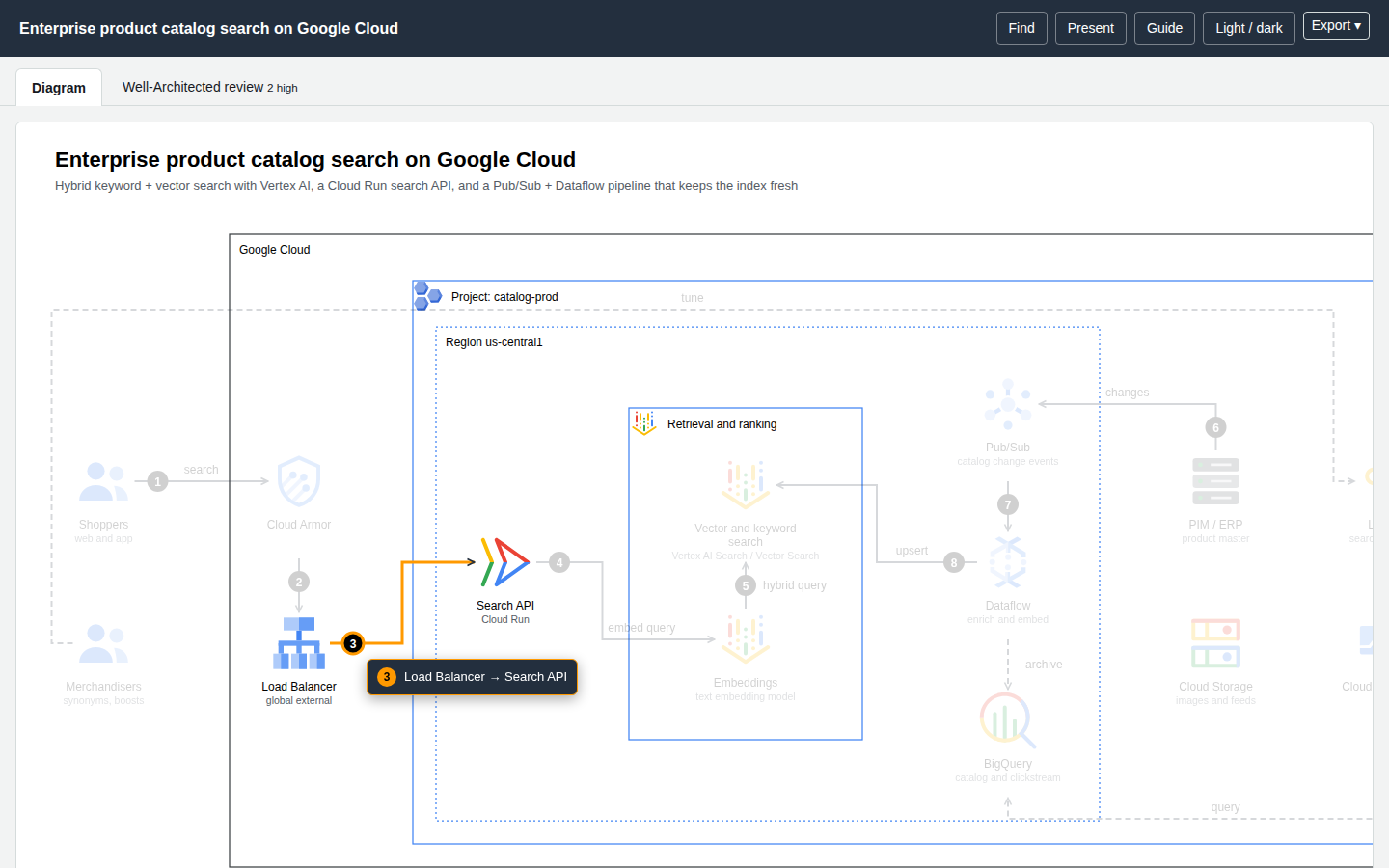
Every generated page embeds the same reader. It needs no network and no libraries, and it works only on the authored relationships (your edges and messages) — never on geometry. Results are therefore "authored reachability", not runtime causality or blast radius.
| Feature | How to use it |
|---|---|
| Numbered callouts | Hover a number on the diagram. A popup shows the same description as the Flow list below (the edge desc, otherwise "From → To (label)"), the connection is highlighted and the matching Flow row lights up. |
| Focus and Passport | Click a node: its upstream and downstream relationships (with step numbers and labels), service, category and id. |
| Reach | In the Passport choose Reach ↓ / ↑ / Both, or use the link #focus=<id>&reach=downstream\|upstream\|both. Everything not reachable dims. |
| Route probe | Passport → Route to…, or #route=<from>~<to>. Shows the shortest directed path, or says "no directed route". |
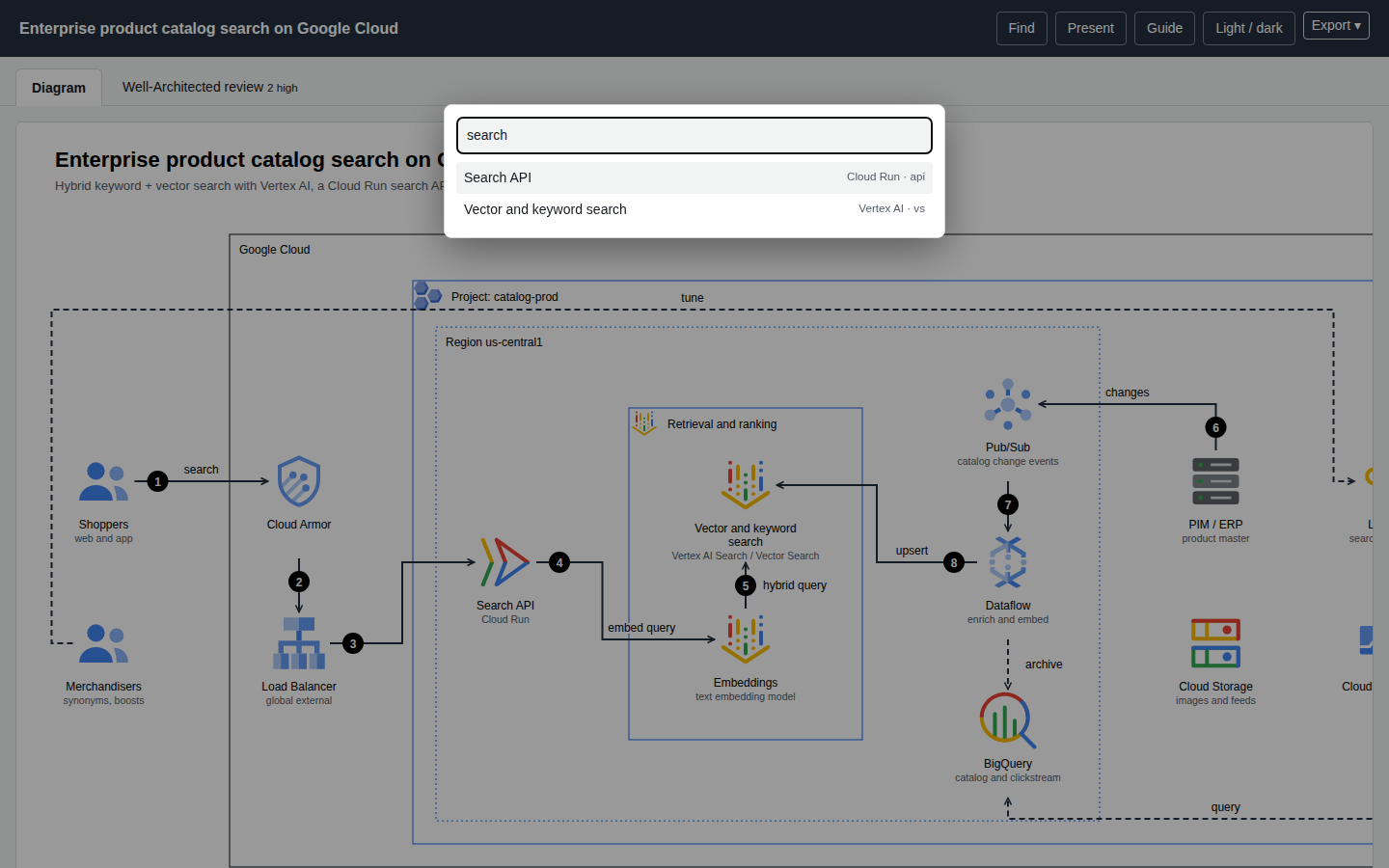
| Finder | / or Ctrl/⌘+K searches label, service name or id and jumps to the node. |
| Presentation | p or ?present=1 hides the page chrome and fills the viewport; Esc leaves. |
| Theme | t, the header button, or ?theme=dark. |
| Guide | ? lists every action and shortcut. |
| Tabs | Diagram, Cost, Well-Architected review; deep-link with ?tab=cost or ?tab=wa. |
| Hover previews | Hover a node, a Flow step or a review finding to preview its connections. |
| Export | Export ▾ → copy or download PNG, JPEG, WebP, a dual-theme SVG, or a .drawio file. See Exporting. |
Deep links
Links are plain URL fragments and query strings, so they can go in tickets and docs:
diagram.html#focus=searchfn&reach=downstream
diagram.html#route=shoppers~os
diagram.html?tab=wa
diagram.html?theme=dark&present=1
Cost overlay and cross-links
- On the Cost tab, Show monthly cost on the diagram puts a
$/motag under every priced node. Clicking a row in the component table jumps to that node on the diagram. - On the Well-Architected tab, hovering a finding highlights the components involved.
What it does not do
Motion or trace animation, share cards, WebM recording and locale packs from Archify are not implemented.
Machine check
?check=1 makes the page emit a hidden <pre id="archify-check"> with node and edge counts, horizontal overflow, the smallest rendered text size, unresolved icon references and a viewer self-test. finalize reads it through headless Chrome; readers never see it.