Getting started
Requirements
- Node.js ≥ 20 (22 is what the project is developed on). There are no npm dependencies.
- Chrome or Chromium for PNG export and the browser check in
finalize. SetCHROME_PATHif it is not found automatically. Without it, HTML, SVG, draw.io and receipts still work. - Network access once, to download the official icons (and optionally to refresh pricing and Well-Architected data).
Install
As an agent skill (recommended):
The icons are downloaded automatically the first time you render. To use the CLI directly instead, clone the repository:
git clone https://github.com/akashtalole/archify-gcp
cd archify-gcp
npm run icons:fetch          # official Google Cloud icon package → assets/gcp-icons/ (git-ignored)
node bin/archify-gcp.mjs doctor
doctor prints the Node version, whether icons were found, and the catalog size (249 icons: 223 products and 26 categories; plus 10 general icons, 6 group icons).
Use it as a command
npm link (or npx) exposes archify-gcp; the rest of this guide writes archify-gcp … for node bin/archify-gcp.mjs ….
Your first diagram
Start from a template:
archify-gcp init three-tier -o my-app.json     # or serverless-api, genai-rag
archify-gcp finalize my-app.json -o out/my-app.html
finalize validates the spec, renders it, runs strict checks, opens the page in headless Chrome to verify it, exports a PNG and writes a receipt. Outputs go next to -o (or to meta.output in the spec; the templates point at examples/out/, so pass -o for your own work):
✔ validate       pass
✔ analyze        pass
✔ render         pass
✔ check          pass
✔ browser-check  pass
✔ export-png     pass

architecture: 11 nodes · 9 edges
html   out/my-app.html
svg    out/my-app.svg
drawio out/my-app.drawio
png    out/my-app.png
receipt out/my-app.receipt.json
Cost: $1,074.61/month (indicative)
Well-Architected (advisory): 0 critical · 0 high · 0 medium · 1 low; 21/307 best practices evidenced
Open my-app.html. The tabs are Diagram, Cost and Well-Architected review. Add ?tab=cost or ?tab=wa to the URL to deep-link to a tab.
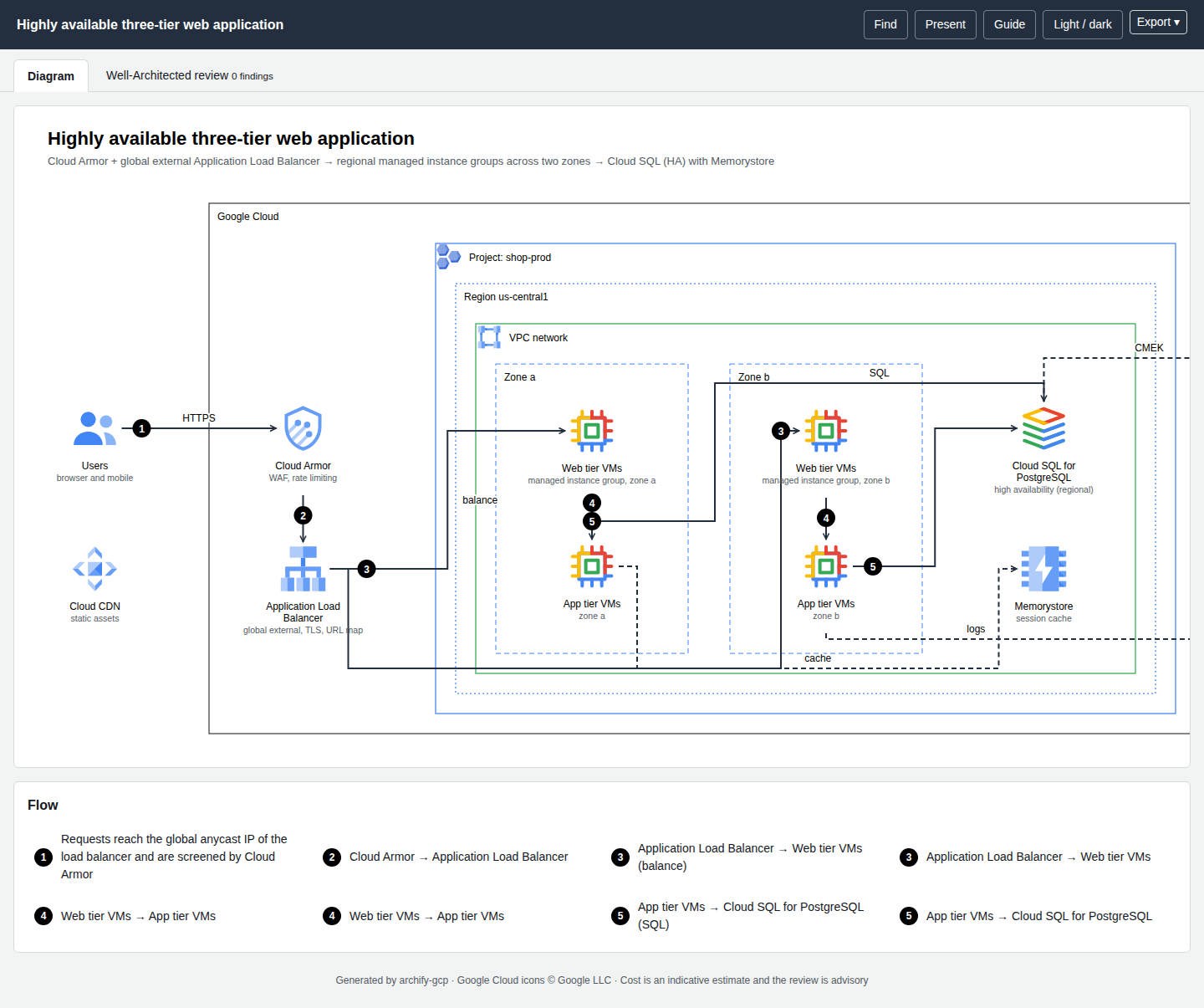
Look at the picture
finalize proves the mechanics (valid spec, routable edges, no overlaps it can detect, page loads without errors). It records "visualReview": "not-performed" on purpose. Open the PNG and check labels, tangles and clarity before you share it.
Pick the right diagram type
guide suggests a diagram type (architecture, sequence or dataflow) and a template, plus companion diagrams worth drawing. See Writing a spec.
Edit and re-run
A spec is plain JSON. Edit it, run archify-gcp render my-app.json --strict for the quick loop (warnings become exit code 2), and finalize when you are done. Editors get completion and validation from the JSON Schemas:
Add "$schema": "…/schemas/architecture.schema.json" to your spec to use it in VS Code.