archify-aws
Describe an AWS system in JSON; get a checked, explorable architecture diagram — drawn with the official AWS Architecture Icons — together with a monthly cost estimate, a Well-Architected review and an editable draw.io file.
It is a companion to tt-a1i/archify: the same ideas (typed spec in, verified artifact and receipt out, agent skill), implemented as an independent, AWS-specific renderer with no npm dependencies.
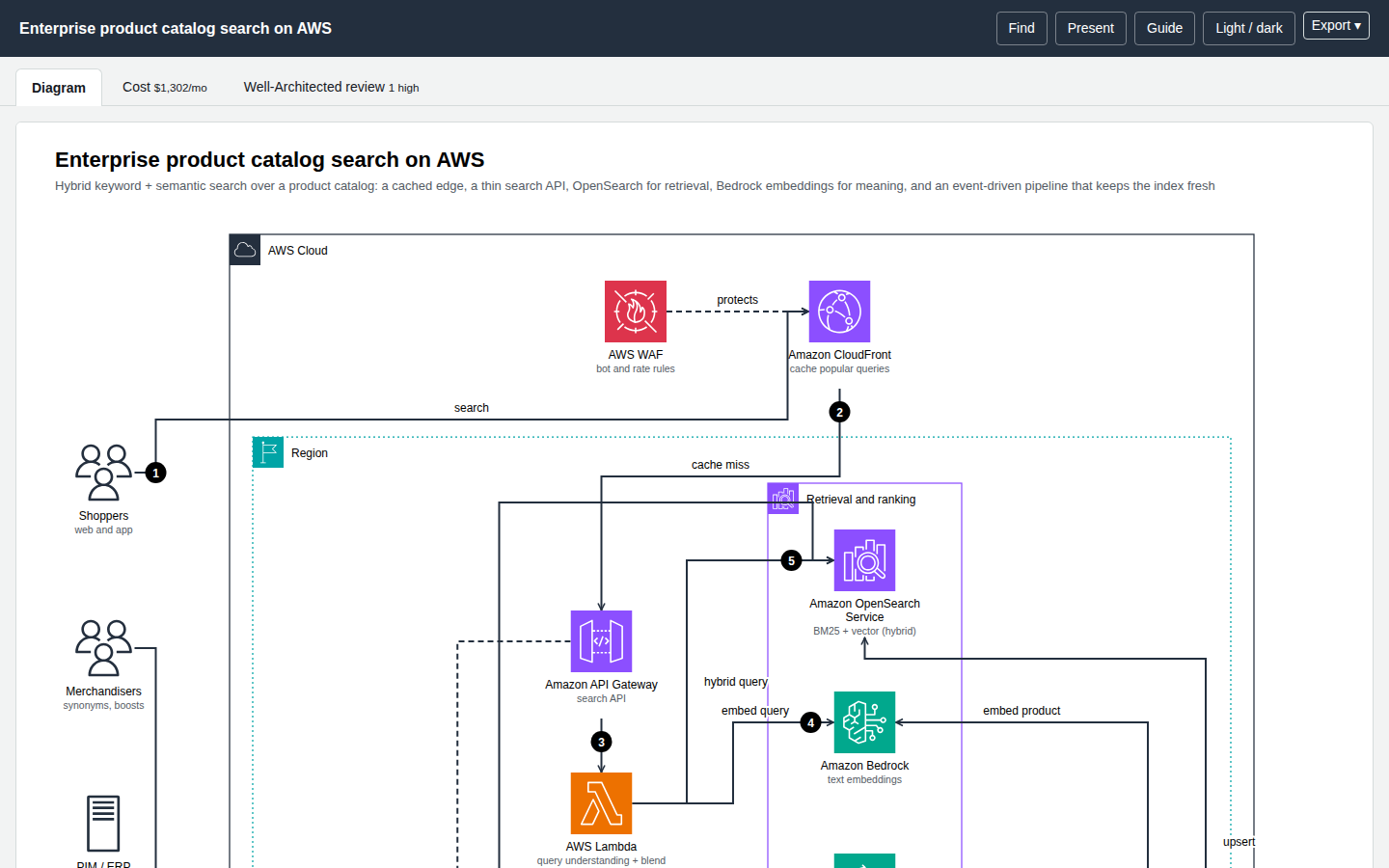
What you get from one spec
| Output | What it is |
|---|---|
| Interactive HTML page | Diagram, Cost tab and Well-Architected review tab in one standalone file. Click, search, trace routes, hover numbered callouts, switch theme, export. |
| SVG and PNG | The diagram on its own, light or dark. |
| draw.io file | Uses draw.io's own AWS shapes, groups and connectors — fully editable. |
| Receipt | A deterministic JSON record of every check that ran (and an honest note that nobody has looked at the picture yet). |
Where to start
- Getting started — install, render your first diagram in five minutes.
- User guide — spec reference, cost estimate, Well-Architected review, draw.io export, importers, CLI.
- Examples — live pages you can open: three-tier, RAG, healthcare agentic platform, compliance review assistant, product catalog search.
- Developer guide — how the pipeline, router, cost engine, review engine and exporters work, and how to extend them.
Principles
- Typed input, checked output. Unknown icons, dangling edges and unroutable connectors are errors with suggestions, not silent drawings.
- Honest numbers. Cost comes from the public AWS Price List with every assumption shown; anything that cannot be priced says so. Well-Architected statuses are Cannot Determine unless the diagram is real evidence.
- Deterministic. Same spec, same bytes. All arithmetic is code, never model reasoning.
- Official look. Icons are never altered; groups, labels and arrows follow the AWS Architecture Icons deck.
Icons are not in the repository
The AWS icons are © Amazon Web Services and are downloaded on demand with npm run icons:fetch. See Getting started.